The easiest way to build a content editor & transform
files inside your platform
Integrate Xara’s APIs to offer your users document editing, automated publishing, and social media tools that fit your platform’s needs. No gruntwork for your devs.
Content Editor API
Add a fully customizable content editor to your platform. Let users create, edit, and format documents with advanced text, image, and branding tools—all inside your application.

Social Media Posting API
Let users generate and post content to multiple social platforms directly from your app. Automate post creation using user data to keep engagement consistent.

Document Generator API
Turn data into documents like postcards or proposals. Users get finished files in PDF or Word format, ready to use.

Document Converter API
Turn any PDF, Word, Image, PPT document into the format your users want.
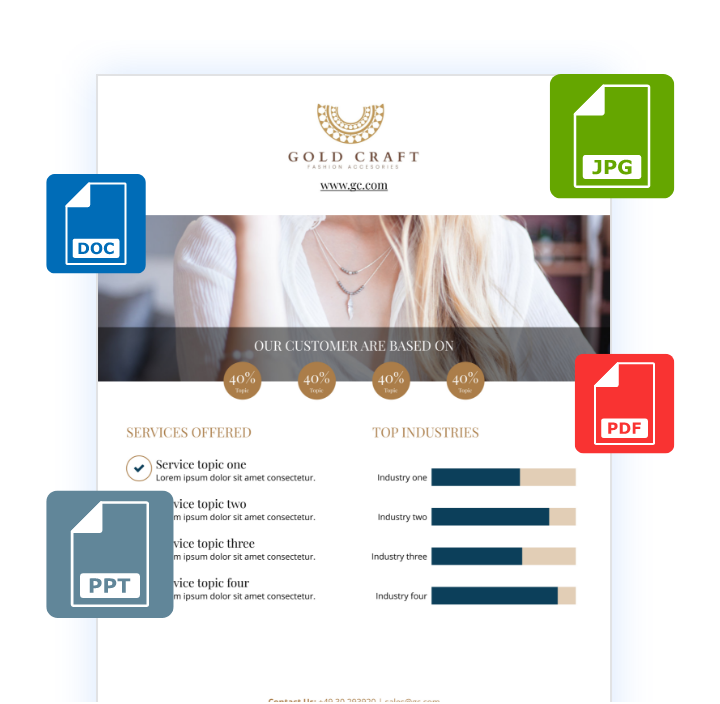
Content editor API
White label WYSIWYG editor
Embed our customizable WYSIWYG editor into your platform, allowing users to design, edit, and personalize content.
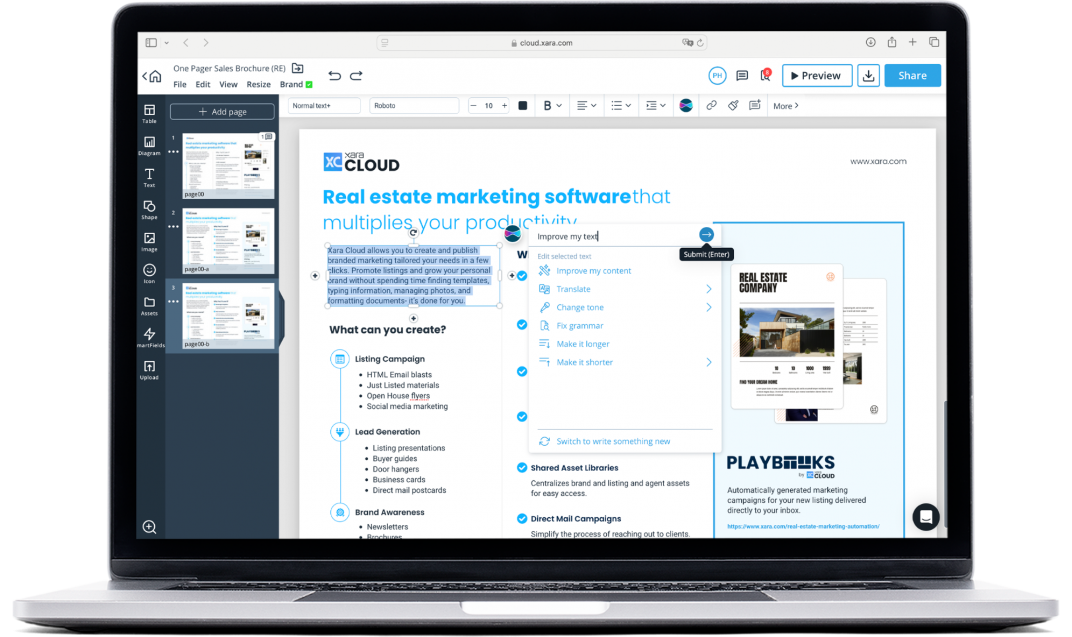
Build custom content editing experiences

Embed a Configurable Editor
Integrate Xara’s template editor directly into your platform, enabling users to create and customize templates templates without ever leaving your app.

Offer your users templates
Enable on-brand design with flexible templates.

Data Population
Auto-fill templates with CRM or database information, generating personalized presentations, reports, or marketing materials in seconds.

Offer Image Editing Tools
Apply filters and adjust image settings like brightness and contrast to deliver high-quality visuals across all projects.

Flexible Sharing and Export Options
Easily import and export PDF, Word, PPT, and image files from your editor content. Users can easily share or distribute content in the format that suits them.

Brand Consistency
Store and apply brand colors, fonts, and logos to your users’ documents to always stay on brand.
Highlighted features

Let users collaborate in real time
Allow teams to work together with real-time editing, commenting, and shared folders. Users can give feedback directly on documents and set access levels, making collaboration easy and organized.
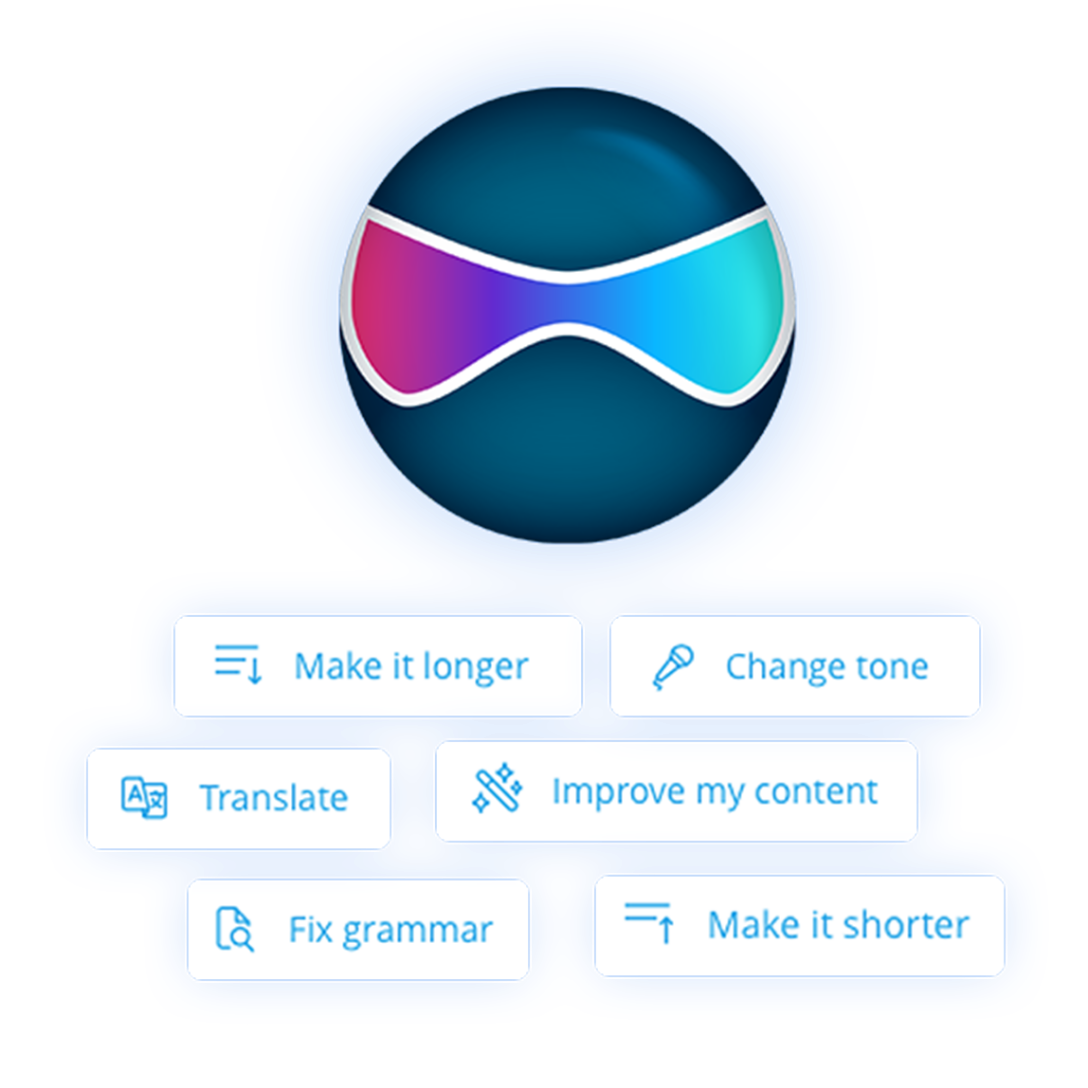
AI Content assistant
Integrate AI features like text generation, grammar check, and translation. Making it easier to produce polished work without leaving the editor.

Automated Publishing
Transform user-generated content, like reviews, into social media posts.

Multi-Platform Posting
Publish on Instagram, Facebook, and more from a single interface.

Content Templates
Populate pre-made templates with data, creating a constant production of posts.

AI Post Writer
Automatically generate social media copy for posts that resonate.
DOCUMENT GENERATOR API
Transform data into business documents
Create documents from raw data without using an editor. Automatically produce formatted sales proposals, postcards, reports, and more—ready for users in the format they need, right from your platform.
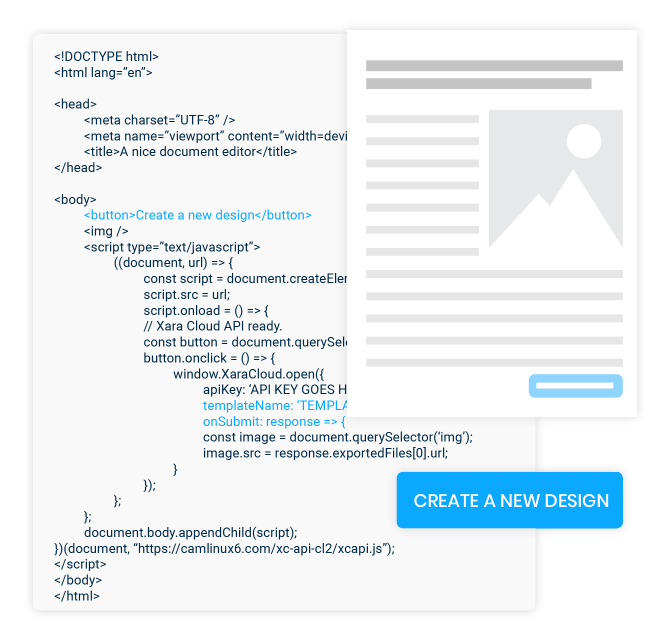

Automated Data Mapping
Populate templates, like proposals or reports, directly from database entries.

Extractable Text from PDFs
Pull PDF text into other documents for customization

Form Field Extraction
Extract values from form fields to populate new documents.

Editable Final Documents
Populate pre-made templates with data, creating a constant production of posts.
Document Conversion API
File conversion API
Easily convert, compress, and manage documents across multiple formats with Xara’s Document Conversion API. Supports many file types,ensures high-quality results while reducing storage costs for large document volumes.

Convert PDFs to MS Office Documents
Transform PDFs into Word or PowerPoint, keeping original layout intact.

Convert PDFs to Images
Convert PDF files to JPG or PNG, ready for web, download, posting or presentations.

Convert MS Office docs to PDF
Create high-quality PDFs from Word or PowerPoint documents for professional sharing.

Optimize PDF Color Profiles
Customize color profiles for print, screen, or grayscale to suit your needs.

Compress PDFs for Lower Storage Costs
Reduce file size to minimize archiving expenses—ideal for high-volume storage.

Merge, Split, and Organize PDFs
Combine, reorder, or separate pages in PDFs for streamlined document management.
XARA API FEATURES
Customize your platform without reinventing the wheel
Easily combine Xara’s APIs to build the tools your platform needs. From content editing, automation, and publishing features. Our technology is already integrated into popular tools you may use.

HTML Editor
Let users design responsive HTML emails directly in your platform. They can export ready-to-send HTML emails or integrate them into email campaigns, speeding the email creation process.

Word Editor
Offer word processing capabilities for creating and editing rich text documents. Import Word files and re-export or transform them into PDF and other formats.

PDF Converter
Convert PDFs into Word, PowerPoint, or image formats, enabling flexible file use.

Extract Text
Extract text from PDF and other data sources for reuse in editable formats.

Multi-Platform Posting
Post content to multiple social media channels from one location, for more reach and less work.

AI Post Writer
Generate engaging social media copy using AI for faster content creation.

Bulk Document Creation
Produce multiple documents at once using a single data set.

Templates
Offer your users ready-made templates to create consistent social media posts and business documents.
Over 1000+ features for your users
The content workflows you want, available today
Schedule a call
- Get API expert to navigate you through our platform.
- Build a custom pricing and support plan.
- Build a custom sandbox for your team.
Read documentation
We have made it as easy to test out Xara’s APIs.
FAQ about Xara API
What is the Xara API?
The Xara API is a suite of content APIs that lets developers embed document editing, automated document generation, social media publishing, and file conversion directly into their own platform or SaaS product. It includes four APIs — the Content Editor API, Document Generator API, Social Media Posting API, and Document Converter API — that can be used individually or combined.
What can I build with the Xara API?
With the Xara API you can build a white-label WYSIWYG editor inside your app, auto-generate proposals and reports from database data, publish posts to Instagram, Facebook, and other social channels from one interface, and convert PDFs, Word, PowerPoint, and image files between formats.
Who is the Xara API for?
The Xara API is built for SaaS companies, platform developers, product managers, and engineering teams who want to offer their users content editing, document automation, social publishing, or file conversion without having to build and maintain those features in-house.
How many APIs does Xara offer?
Xara offers four APIs: the Content Editor API (embeddable WYSIWYG editor), the Document Generator API (data-to-document automation), the Social Media Posting API (multi-platform publishing), and the Document Converter API (PDF, Word, PowerPoint, and image conversion).
What file formats does the Xara API support?
The Xara API supports PDF, Microsoft Word (DOCX), PowerPoint (PPTX), HTML, JPG, and PNG for import and export, so users can start in one format and deliver in whichever format they need.
Does the Xara API offer a white-label editor?
Yes — the Content Editor API is a fully white-label WYSIWYG editor that embeds directly into your platform with your own branding, templates, brand kits, real-time collaboration, AI text generation, image editing, and import/export to Word, PDF, and HTML.
Does the Xara API include AI features?
Yes — the Xara API includes an AI content assistant for text generation, grammar checking, and translation inside the Content Editor, plus an AI Post Writer that automatically generates social media copy through the Social Media Posting API.
Can the Xara API auto-fill templates from my database or CRM?
Yes — the Document Generator API maps fields from your database, CRM, or any data source directly into pre-built templates, automatically generating personalized proposals, reports, postcards, contracts, invoices, and marketing materials as editable Word files or finalized PDFs.
Can I generate documents in bulk with the Xara API?
Yes — the Xara API supports bulk document creation, letting you generate hundreds or thousands of formatted documents from a single dataset in one batch.
Can I combine multiple Xara APIs in the same workflow?
Yes — the Xara APIs are designed to work together. You can generate a document from CRM data with the Document Generator API, let users edit it inside the white-label Content Editor, then publish the result to social media via the Social Media Posting API.
How is the Xara API different from building content features in-house?
The Xara API gives you a production-ready content editor, document automation, social publishing, and file conversion with over 1,000 features out of the box — features that would take a dedicated engineering team months or years to build and maintain.
Is the Xara API a good alternative to other document or editor APIs?
The Xara API is a strong alternative to single-purpose document, editor, or file conversion APIs because it covers content editing, document generation, social publishing, and file conversion in one platform — fewer vendors, fewer integrations, and a unified pricing relationship.
How much does the Xara API cost?
Xara API pricing is custom and built around your platform’s specific use case, volume, and support needs. To get a quote, schedule a call with the Xara API team to walk through requirements and get a custom pricing and support plan.
Is there a sandbox or trial for the Xara API?
Yes — Xara provides a custom sandbox environment for your team as part of the onboarding process, so you can test API calls and integration patterns before committing to production.
Where is the Xara API documentation?
Xara API documentation is provided through the Xara API team as part of the onboarding process when you schedule a call or request access, covering all four APIs, endpoints, authentication, and example integrations.
Does the Xara API support real-time collaboration?
Yes — the Content Editor API supports real-time collaboration including multiple users editing the same document at once, inline comments, shared folders, and configurable access levels.
Can the Xara API enforce my customers' brand guidelines?
Yes — the Content Editor API includes brand kits and auto-branding so your customers’ logos, fonts, and colors are applied automatically to every document, with controls over what end users can and can’t change.
How do I get started with the Xara API?
You get started with the Xara API by scheduling a call with the Xara API team to walk through your use case, get a custom sandbox for your developers, review documentation, and build a pricing and support plan that fits your platform.
FAQ about the Content Editor API
What is a content editing API?
What capabilities does your Content Editor API offer?
Can users collaborate in real time with your Content Editor API?
Does your Content Editor API support importing and exporting documents?
Can I integrate brand management features within the editor?
Can I use the Content Editor with the Social Media API?
What is the best content editing API?
FAQ about the Document Generator API
What is the Xara Document Converter API?
Can I automate data entry into documents?
Are generated documents editable, or only PDFs?
How does the form field extraction feature work?
Can the Document Generator API handle bulk document creation?
FAQ about the Social Media Posting API
What does the Social Media Posting API do?
Can your tool handle cross-posting to multiple platforms?
What do social media schedulers do?
What is the best tool for social media publishing?
How does the AI content assistant work?
Can your APIs automate content creation from data?
Which social media platforms does the Xara Social Media API support?
The Xara Social Media Posting API supports cross-posting to multiple platforms from a single API call, including Instagram, Facebook, and other major social channels, so users can publish to all connected accounts at once.
FAQ about Document Converter API
What file formats does the Document Conversion API support?
PDF ↔ Word, PDF ↔ PowerPoint, PDF ↔ images (JPG/PNG), MS Office to PDF, plus PDF compression, color profile optimization, and merge/split tools.
Social media posting API
Automate your social media posting
Enable content publishing directly within your platform. Turn data into social-ready content and create a single place for your users to post instantly to multiple connected platforms.