
TL;DR: Real estate brochures help showcase listings, strengthen your brand, and support both digital and print marketing. With AI-powered marketing automation and consistent branding, you can create professional brochures faster while scaling listing campaigns. Use brochures at open houses, listing presentations, direct mail campaigns, and client meetings.
Why Use Real Estate Brochures?
At Xara, we encourage real estate professionals to combine digital and print marketing to generate leads, build brand visibility, and establish credibility in their local markets. Whether you’re creating listing campaigns, social media content, or print collateral, maintaining a consistent brand across every customer touchpoint is essential.
Modern brokerages need scalable marketing workflows. Instead of spending hours creating materials from scratch or manually updating designs, AI-powered marketing tools can automate branded campaign generation while keeping every brochure aligned with your brokerage’s visual identity. Learn how real estate marketing automation helps streamline listing marketing.
Print marketing continues to complement digital strategies. Real estate brochures, postcards, and door hangers provide a tangible way to showcase listings, reinforce your expertise, and build trust with buyers and sellers. Pair brochures with direct mail campaigns or a broader real estate marketing plan for greater reach.
A professionally designed brochure is often kept, shared, and referenced multiple times. Use brochures at open houses, listing appointments, networking events, or community events to leave a lasting impression and support your overall marketing strategy.
If you think brochure creation is time-consuming, think again. With Xara’s automated design tools and customizable real estate brochure templates, you can create professional marketing materials in minutes while maintaining consistent branding across every listing.
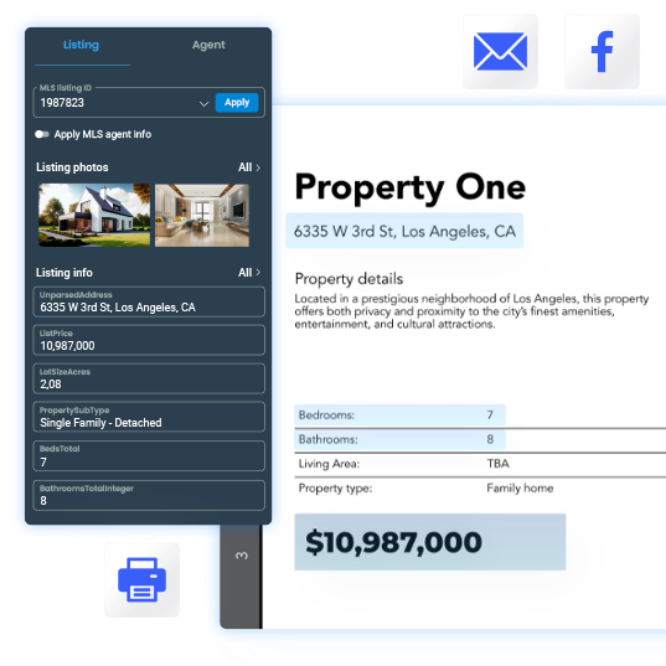
What to Include in a Real Estate Brochure
Before choosing a design, it helps to know what actually belongs on the page. Most effective real estate brochures include:
- A clear property description. A short, compelling summary of the property’s best features, not a full spec sheet.
- High-quality photos. Interior and exterior shots that show the property at its best.
- Floor plans. Buyers consistently rank these among the most useful details, since they help people picture the layout before ever stepping inside.
- A link to a virtual tour or video walkthrough. A brochure doesn’t have to be static. A QR code or link to video content lets buyers explore further on their own time.
- Key features and specs. Bedrooms, bathrooms, square footage, and anything that sets the property apart.
- Location and neighborhood information. Nearby schools, transport, and amenities, ideally with a simple map.
- Contact information and a clear call to action. Make it obvious how to reach you and what to do next.
Start With the Brochure’s Purpose
A brochure for a new listing looks different from one built for an open house or for promoting your brokerage. Before picking a template, it helps to be clear on what this specific brochure needs to do, sell a property, drive attendance to an event, or build your brand with prospective clients or recruits. The four examples below cover each of these cases.
Real Estate Brochure Examples
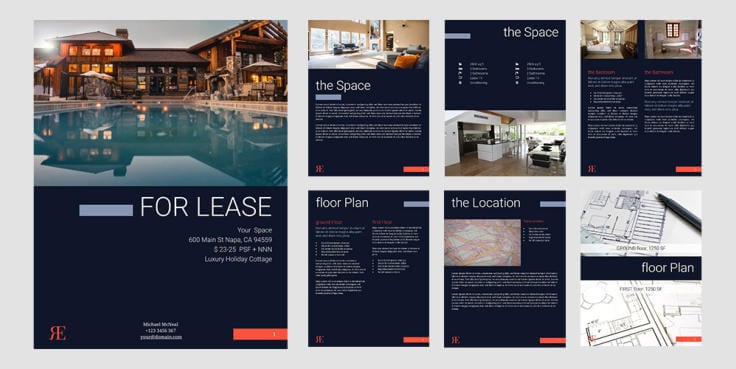
Elegant Brochure
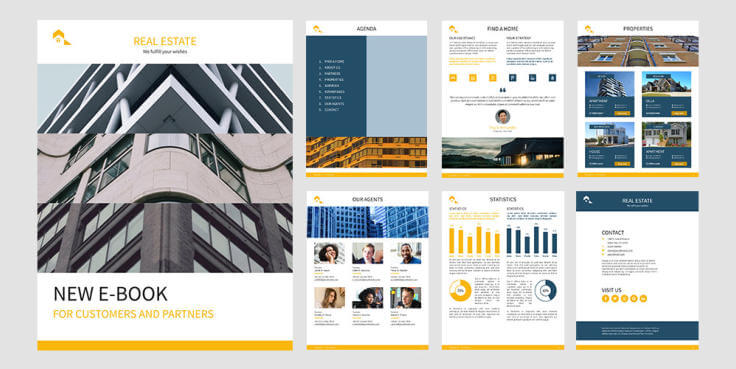
This brochure works well for residential and commercial listings. Add your brand colors, fonts, property images, and listing details, and the design automatically adapts to your branding. It’s ideal for creating polished marketing materials quickly while maintaining consistency across campaigns.
 Try this template
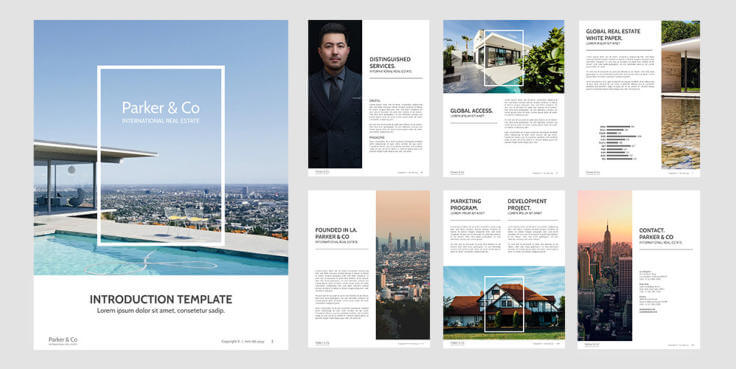
Visual Brochure
High-quality photography is one of the most important elements of an effective real estate brochure. This design combines striking visuals with clear property information to help buyers quickly understand a listing’s value. For additional inspiration, explore these real estate photography tips and real estate listing video tips.
 Try this template
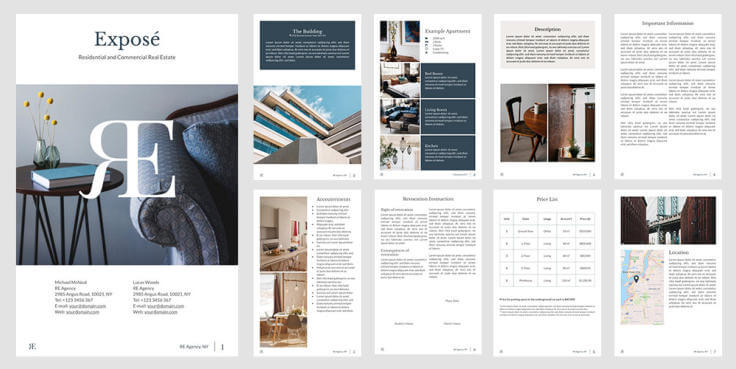
Exposé Brochure
This clean, professional layout is ideal for presenting one or multiple properties. Include property photos, descriptions, maps, key features, neighborhood information, and market insights to help buyers make informed decisions. It also works well alongside listing brochure best practices.
 Try this template
Corporate Brochure
Promote your brokerage, team, services, and local expertise with this professional brochure. It’s well suited for recruiting, partnership opportunities, and strengthening your brand presence. Brokerages can also support real estate agent recruiting while reinforcing consistent brokerage branding.
 Try this template
Brochure Design Best Practices
A good template is only half the job. A few habits make the difference between a brochure that gets read and one that gets skimmed once and set aside:
- Give each page one focal point. A single strong photo or headline per page reads better than a page trying to say everything at once.
- Keep it to two or three fonts. One for headlines, one for body text, and an optional accent. More than that starts to look cluttered.
- Use real property photos, not stock images. Buyers can tell the difference, and authenticity builds more trust than a polished stock shot ever will.
- Write for a quick scan, not a full read. Short sentences, clear headings, and no real estate jargon buyers won’t recognize.
Print or Digital? Use Both
A brochure doesn’t have to choose between print and digital. Print a version for open houses and listing appointments, then share a digital copy by link or email so buyers can revisit it later, forward it to family, or view it from their phone.
QR codes are the easiest way to connect the two. In Xara, you can insert a QR code directly into any brochure from the document editor and recolor it to match your branding. Link it to a virtual tour, a video walkthrough, or the full listing online, so a printed brochure still leads somewhere interactive. For brokerages working from shared templates, a QR code can also be set up to automatically point to each agent’s own website, so the same template stays personalized across a whole team without manual edits.
This works well for lead capture too. A QR code linking to a home valuation page or a simple contact form gives interested buyers an easy next step, right from a printed piece.
How to Edit These Templates
All brochure templates can be edited directly in Xara. Select a template, open it in your workspace, and begin customizing. If you don’t already have an account, create a free account to get started.
Before editing, gather your logo, listing photos, property details, and brand assets to speed up production.
- Step 1: Apply your brokerage branding. You can automate branding by connecting your website and existing brand assets.
- Step 2: Replace placeholder images with professional property photography that highlights each listing’s strongest selling points.
- Step 3: Add property descriptions, listing details, and a clear call to action. AI-assisted content generation helps produce consistent, high-quality brochure copy faster.
- Step 4: Customize fonts, layouts, and design elements to match your brokerage’s visual identity.
- Step 5: Export your brochure for print or include it as part of your broader automated real estate marketing strategy.
For brokerages managing multiple listings, automated workflows make it easier to produce branded brochures at scale while maintaining consistency across every campaign. Learn more about Marketing Automation for Real Estate.
Explore Our Real Estate Brochure Library
Browse our complete brochure library for professionally designed real estate templates that support listing marketing, brokerage branding, and client presentations.
✔️ Simple drag-and-drop editing, no design experience required.
✔️ One-click brand application for consistent marketing across every template.
✔️ High-quality print-ready exports, plus digital sharing options.
✔️ AI-assisted content creation for faster brochure production, from description to layout.
✔️ Built to support automated listing marketing and scalable brokerage growth, whether you manage one listing or hundreds.
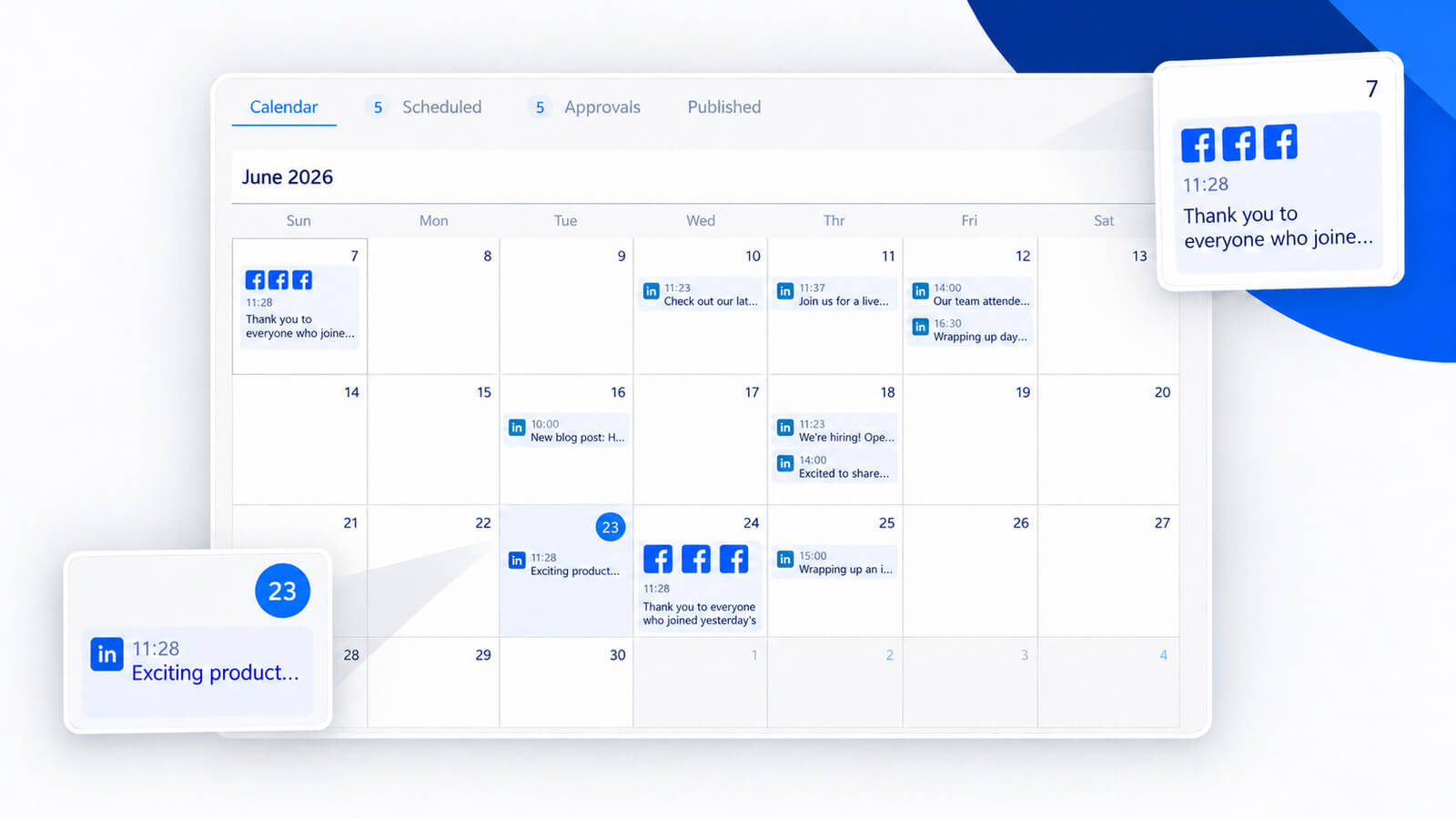
If you’re also promoting listings on social media, our AI Social Media Manager helps generate and schedule branded social content alongside your print marketing.
Frequently Asked Questions
Q: Are real estate brochures still effective?
A: Yes. Brochures remain an effective marketing tool because they provide a professional, tangible way to present listings, reinforce your brand, and support conversations at open houses, listing appointments, and networking events.
Q: What should every real estate brochure include?
A: Include high-quality property photos, listing details, key features, agent contact information, neighborhood highlights, consistent branding, and a clear call to action.
Q: Can brochures work with digital marketing?
A: Absolutely. Many agents combine brochures with social media, email marketing, direct mail, and automated listing marketing to create a consistent customer experience.
Q: How can I create brochures more efficiently?
A: Using customizable templates, automated branding, and AI-assisted content creation significantly reduces production time while maintaining brand consistency.
Q: Why should brokerages standardize brochure designs?
A: Standardized brochures strengthen brand recognition, improve marketing efficiency, and ensure every listing, social campaign, and print asset reflects a consistent professional image.
Q: Should a real estate brochure include floor plans and virtual tours?
A: Yes, when available. Floor plans help buyers understand the layout before a showing, and a QR code linking to a virtual tour or video walkthrough gives buyers a way to explore further without needing more page space.
Q: What’s the best way to distribute a real estate brochure?
A: Use both print and digital. Print copies work well at open houses and listing appointments, while a digital version shared by link or email lets buyers revisit it, forward it, or view it on their phone whenever it’s convenient.
Q: How do I make a real estate brochure?
A: Start with a template built for real estate, then add your branding, property photos, and listing details. Tools like Xara apply your logo and brand colors automatically, so you’re customizing content rather than building a layout from scratch.
Q: What is the 80/20 rule for realtors?
A: It’s the Pareto Principle applied to real estate: roughly 80% of an agent’s results come from 20% of their effort, often a small group of high-value clients or listings. In practice, this means prioritizing your best opportunities, including which listings get a professionally designed brochure, rather than spreading equal effort across everything.
Q: Can ChatGPT make a brochure?
A: It can put something together, but general AI chat tools aren’t built for design, so the result tends to look generic and won’t reliably match your brand. For a real estate brochure, that’s a problem: it’s often the first physical thing a client holds, and it should look like it came from your business, not a template everyone else is using too. A tool built specifically for design, like Xara, combines AI-assisted content with real layout and branding controls, so the result actually looks intentional and on-brand, not just assembled.

Get Your Free Real Estate Marketing Materials For Your Business!
Join 10 000+ real estate agents powered by Xara Marketing Center.
- Sign up for a free account.
- Get a 14-day premium trial.
- No credit card required.



 No credit card or phone number required.